The name circulating around silicon and design blogs—used cautiously and often with caveats—has stirred a lot of curiosity: apple macbook neo. Whether it becomes an official product or remains a useful thought experiment, the idea encapsulates several trends that have shaped laptops for the past few years. This article walks through what the MacBook Neo might represent, how it fits into Apple’s lineage, and what buyers and enthusiasts should watch for.
Where the MacBook line has been and why a “Neo” makes sense
Apple’s laptop story over the last decade has been one of steady reinvention, from aluminum unibody builds to the transition from Intel processors to Apple silicon. Each major change carried trade-offs: improved performance and battery life on one hand, and new constraints or design decisions on the other. The idea of a “Neo” model signals another pivot: a device that could combine the best of previous generations while addressing their most persistent compromises.
Beyond hardware, Apple has reshaped macOS to take fuller advantage of in-house chips, pushing features like instant wake, longer battery life, and tighter integration with iPhone features. A new model bearing a fresh label would likely be positioned around those software-hardware synergies, emphasizing a different balance of portability, power, and connectivity. From a business perspective, Apple often uses new names to create clear differentiation in its lineup, which helps customers choose and gives reviewers a distinct narrative to evaluate.
What “MacBook Neo” really means: rumor vs. reality
At the time of writing there is no official product description from Apple using the Neo name; most of the details one sees online are rumor, wishful thinking, or analyst projection. That’s not a bad place to start—rumors often reflect the supply chain chatter and patent filings that hint at real engineering work. Treat those signals as speculative but informative: they show where industry partners and observers think Apple might invest next.
For readers trying to sort signal from noise, focus on repeatable patterns in reports. If multiple reliable outlets claim a similar change—like a new thermal design or a different keyboard approach—those claims deserve more attention. Conversely, single-source leaks promising dramatic, game-changing features should be taken with skepticism until corroborated. The difference between rumor and reality matters a lot for purchasing decisions and for setting expectations about what the product will actually do.
Design language: what to expect and what would be bold
Apple’s design team tends to refine rather than reinvent, favoring incremental improvements that preserve brand identity. That said, a Neo model could be a platform for bolder choices—thinner bezels, altered hinge geometry, or new materials aimed at lowering weight while improving rigidity. Think of it as a chance for Apple to experiment with visual cues that could later trickle through the rest of the MacBook family.
Practical changes could include rethought port placement, a more modular antenna system for better wireless performance, or a chassis optimized for passive cooling without a significant increase in thickness. Any of these moves would reflect Apple’s long-term trade-offs between minimalism and usability. Designers must balance the aesthetic expectations of MacBook buyers with the demands of thermal management and durability.
Hardware and Apple silicon: the most consequential area
The transition to Apple silicon proved how far vertically integrated hardware and software can push performance-per-watt. With each chip generation, Apple has tended to optimize for specific device classes: chips for ultraportables, chips for performance laptops, and chips for desktops. A MacBook Neo would likely sit into that taxonomy as either a next-generation ultraportable with surprising sustained performance or as a hybrid that narrows the gap between thin-and-light portability and serious compute capability.
Expectations for any new model usually center on improved neural engine performance, better graphics throughput, and enhanced energy efficiency. Those improvements translate into immediate benefits for everyday tasks—smoother video playback, faster app launches, and longer battery life—as well as longer-term advantages in machine learning and specialized workloads. But be cautious about headlines that promise extraordinary leaps; real-world gains tend to be more measured and workload-dependent.
Display, camera, and audio: small changes that matter daily
Apple’s displays have already raised the bar for color accuracy and brightness on many MacBooks, but incremental improvements remain valuable. A Neo model could bring higher sustained brightness, improved anti-reflective coatings, or variable refresh rate scaling to save power during static tasks. These tweaks might not make headlines, but they shape how the laptop feels across a full workday.
Camera and audio have also become selling points as remote work persists. Expect subtle upgrades: mobile-class webcams with better low-light performance and smarter noise suppression, along with microphone arrays tuned for distance and room acoustic variability. Speakers might see further tuning for clarity and spatial impression. Taken together, these refinements improve the user experience in ways that compound on a daily basis rather than dazzling in a single demo.
Ports, expansion, and the push-pull of convenience
Port selection always provokes passionate debate among MacBook users. Apple has swung between minimalism and practicality over the years, and a Neo model could tilt toward either extreme. One realistic scenario is a modest expansion of I/O—an extra Thunderbolt port, a full-sized HDMI 2.x variant, or even a return to a dedicated SD slot—without abandoning the clean, thin profile buyers expect.
Another area to watch is power delivery and charging philosophy. MagSafe made a comeback in recent years, so a Neo iteration could refine the magnetic charging experience with faster power delivery or smarter connector detection. Whatever choices Apple makes, they will aim to preserve an elegant silhouette while improving day-to-day functionality for professionals and creatives.
Battery life and thermal design: the unseen engineering
Battery and thermals are the engineering backbone of any meaningful upgrade. Apple’s integration of silicon and software gives it levers to extract better endurance from similar battery capacities. For a MacBook Neo, incremental battery chemistry advances may be less visible than smarter power partitioning between CPU, GPU, and background tasks.
Thermal engineering will matter if Apple seeks to push sustained performance in a thin chassis. That might require clever internal layouts, vapor chambers, or redesigned airflow paths that reduce fan noise while preserving thermal headroom. The challenge is ensuring consistent performance under real-world loads—video encoding, prolonged code compilation, and long creative sessions—without turning the laptop into a hot lap heater.
macOS and the software story
Hardware changes only unlock their full potential when the software layer is prepared to use them. Apple has continuously updated macOS to make better use of on-device accelerators and system-level power management. A new model would likely debut with macOS features emphasizing continuity, machine learning optimizations, and improved multi-device workflows.
Features that reduce friction—like faster app state restoration, smarter window management, and deeper cross-device file syncing—are likely candidates to accompany a hardware refresh. Developers benefit when Apple exposes robust system APIs for specialized silicon blocks, enabling apps to accelerate tasks like image processing and real-time effects without compromising battery life.
Compatibility and the ecosystem ripple effects
One of Apple’s advantages is the tight ecosystem that connects Macs, iPhones, iPads, and accessories. Introducing a new laptop tier would ripple through that ecosystem, influencing accessory makers, app developers, and peripheral standards. Compatibility with existing hubs, docks, and adapters will be an important consideration for buyers who rely on older gear.
Backward compatibility isn’t only about connectors. It’s also about software and workflows. Users who invest in a Neo-class machine expect seamless handoffs with their other Apple devices—AirDrop, Universal Control, and Handoff should feel instantaneous and predictable. For professionals, that predictability is a productivity multiplier that justifies premium pricing.
How the MacBook Neo would compare to current MacBook Air and Pro models
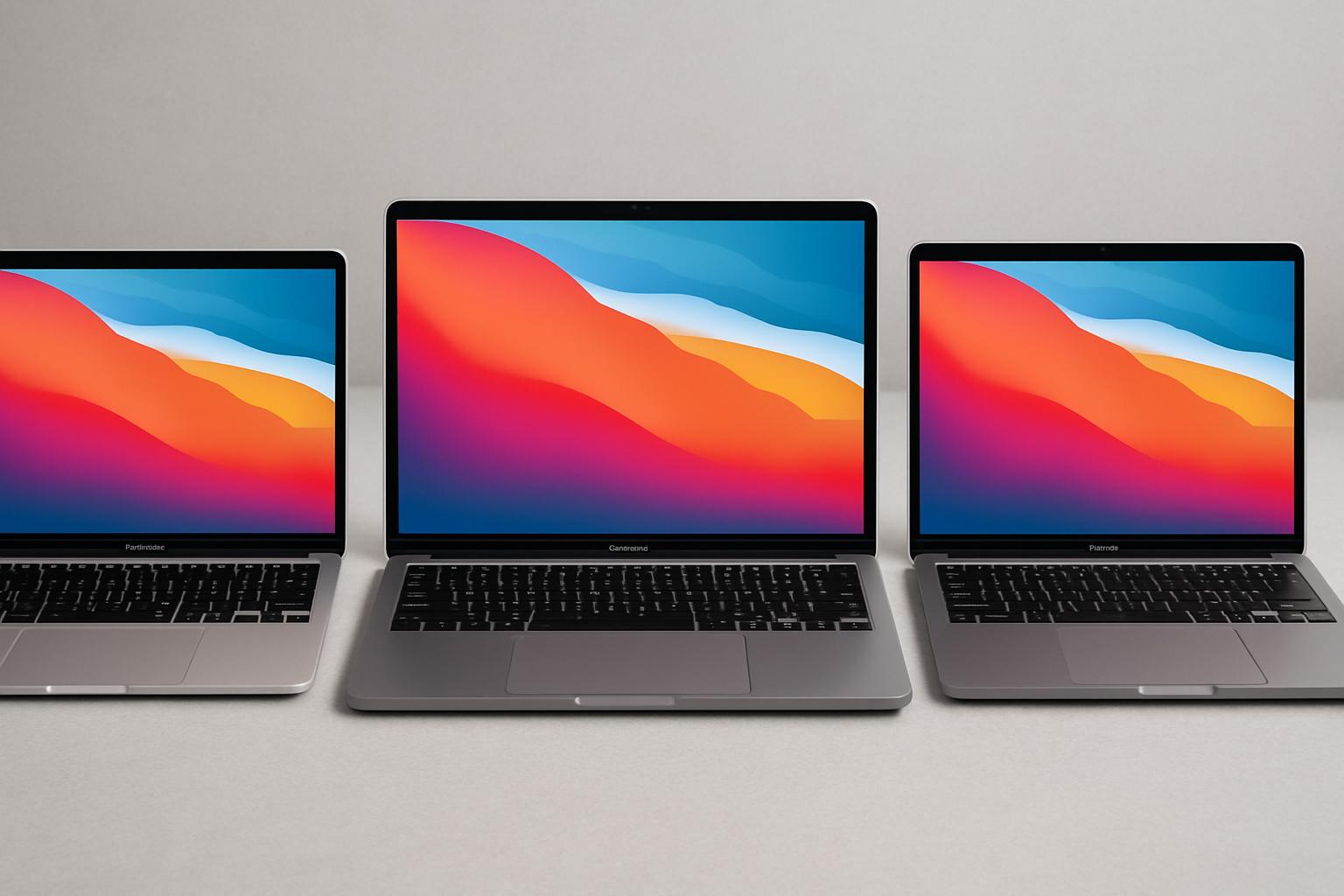
Any new model must live among existing options: the ultraportable Air, the workhorse Pro variants, and the larger desktop replacements. A Neo positioning could aim to be a middle ground—lighter than a Pro but more capable under load than an Air. That middle ground is tricky to get right because it must match both expected battery life and consistent performance.
Buyers should evaluate which trade-offs suit their daily work. If high sustained CPU or GPU throughput is critical, a higher-end Pro may still be the better choice. If mobility and all-day battery are paramount, the Air remains a strong candidate. The value of a Neo-type model would be its ability to satisfy a broader set of real-world tasks without forcing users to choose strictly between thinness and power.
Real-world scenarios: who benefits most
Different professions place different demands on a laptop. Photographers and video editors need GPU and memory bandwidth, developers appreciate CPU core scaling and fast SSD throughput, and writers or managers value silence, instant wake, and long battery life. A Neo design that balances these needs would be particularly appealing to hybrid creatives—people who edit video occasionally but spend most of their day in messaging, research, and browsing.
In my own work, I’ve used MacBooks across multiple generations and found that the best machines are those that feel invisible: they don’t dictate how I work, they enable it. If the Neo concept prioritizes that kind of seamlessness—snappy responsiveness, reliable battery, and quiet cooling—it will resonate strongly with freelancers, remote workers, and students who want a single device for many tasks.
Pricing strategy and value calculus
Apple’s pricing has historically reflected both brand positioning and the costs of advanced materials and engineering. A new model could enter at a premium to create space between existing tiers or replace an aging product at a similar price point. How Apple positions the Neo would indicate whether it’s targeting mainstream buyers or a more niche professional audience.
For buyers, the math goes beyond sticker price. Consider total cost of ownership: how long the device will remain performant for your typical tasks, whether repairability and upgrade options matter, and how resale value might offset the initial outlay. A slightly higher up-front purchase might pay off over several years if the machine stays relevant and maintains better resale value.
Availability, release patterns, and how to read Apple’s signals
Apple tends to announce products at predictable events or through press releases tied to seasonal cycles. Supply chain leaks often precede these announcements, but they can be noisy. Watching multiple sources over time—regulatory filings, component supplier reports, and analyst notes—gives a clearer picture than reacting to a single rumor.
For buyers not in a hurry, waiting a few weeks after an announcement can be wise. Early units sometimes reveal unforeseen issues or quirks that later production runs fix. For those who need a laptop immediately, existing models can still offer excellent performance and value; the “need now” versus “wait for new” decision should be made with a view of personal timelines and tolerance for early-adopter risk.
Practical buying tips if you plan to get a new apple macbook neo
If you decide to pursue a new apple macbook neo when it becomes available, prioritize configuration choices that matter most to you. Opt for more RAM if you run virtual machines, large photo libraries, or creative applications frequently. Storage is similarly sticky: internal SSDs are far faster than external solutions, and while external options have improved, they rarely match the convenience of onboard capacity.
- Prioritize RAM over extra GPU cores if your workflow is memory-bound.
- Choose an SSD size that leaves comfortable headroom—about 30–40% free space helps sustained performance.
- Consider warranty and AppleCare if uptime is critical to your work.
Also think about future-proofing. Machine learning and video workflows are becoming more common, and processors are increasingly specialized. Investing slightly more at purchase can extend the device’s effective lifespan, reducing the frequency of disruptive upgrades.
Accessories that complement a modern MacBook
A laptop lives in a larger toolkit. Good wireless headphones, a reliable external monitor, and a solid USB-C dock can transform the MacBook experience. For a new laptop that leans into mobile performance, a compact travel dock and a quality USB-C charger are non-negotiable for many people who work on the move.
Battery packs and power-saving hubs can also be useful, especially for users who spend long days away from outlets. If Apple introduces new ports or charging standards with a Neo device, expect accessory makers to quickly adapt, but give the ecosystem a few quarters to stabilize before buying every peripheral.
Repairability and sustainability considerations
Repairability has become a more visible part of the conversation around high-end laptops. Apple has moved in fits and starts: some models are more serviceable than others, and official parts plus third-party repair programs have improved access in recent years. Prospective buyers should check Apple’s repairability stance for any new model and consider third-party repair options in their region.
Sustainability isn’t just about repair; it’s also about energy efficiency and lifecycle emissions. A Neo-class machine that delivers better performance per watt can reduce lifetime energy consumption. Additionally, modular designs or improved battery serviceability extend useful life, which matters both financially and environmentally.
Security and privacy: the invisible layer
Apple has consistently emphasized security features and hardware-based protections. Any modern MacBook iteration would likely continue that trend with secure enclaves, biometric safeguards, and secure boot chains that protect user data. For many users, those features are a non-negotiable part of the value proposition.
Privacy features at the system level—like local processing for voice or image tasks—reduce the need to send sensitive data to cloud services. Those capabilities depend heavily on the silicon and software integration, so improvements in those layers often translate into better privacy practices without added complexity for the user.
Developer perspective: what a Neo platform could unlock
Developers benefit when platforms expose capabilities cleanly. If Apple introduces new accelerators or specialized blocks in the silicon, documented APIs will be crucial for apps to take advantage of them. That means faster, more efficient apps for end users and a richer software ecosystem around the device.
Cross-platform frameworks and virtualization performance will also shape developer adoption. Better virtualization support could lower barriers for testing multiple OS configurations, while improvements in emulation would ease transitions for apps originally written for other instruction sets. For developers, the platform’s long-term consistency often matters more than a single-generation performance bump.
Personal notes from the road: lessons learned from previous MacBook upgrades
I’ve upgraded laptops several times across different roles—journalism, product writing, and creative projects. The most satisfying upgrades were those that improved the daily feel of working: faster wake times, more reliable keyboards, and quieter operation. Those are small conveniences that add up across weeks and months.
On the other hand, chasing peak specs rarely yielded proportional benefits. Upgrading for marginal performance improvements felt less justified than upgrading to a machine that removed a real bottleneck—like moving from slow storage to a fast NVMe drive or from limited RAM to a configuration that handled multitasking cleanly. Those practical lessons factor into how I view a new model like the one people call the MacBook Neo.
How to test a Neo-class machine in a store or demo
When you get hands-on time with a new laptop, use real-world tests that reflect your daily workload. Open multiple browser tabs, run a video export, and check how the system handles background syncing while you type and stream music. Those scenarios reveal thermal throttling, memory pressure, and responsiveness in ways synthetic benchmarks often miss.
Pay attention to the tactile experience: keyboard travel and force, trackpad responsiveness, and hinge stiffness. Those physical details matter for long sessions. Also listen for coil whine or fan behavior at different load levels; noise characteristics influence the perceived quality of a machine far more than raw benchmark numbers.
How resale value and upgrade cycles might play out
Apple devices generally retain resale value well, which mitigates the total cost of ownership when you upgrade every few years. A new model that introduces meaningful improvements tends to also maintain strong demand in the used market, especially for higher-spec versions. That dynamic can make a slightly higher initial spend more palatable if you plan a regular upgrade cadence.
Consider how long you expect the device to meet your needs before buying. If your workflows are evolving—adding heavier video or ML workloads—leaning toward a configuration with more headroom will postpone the next upgrade. If your tasks are relatively stable, a mid-range spec might be the smartest financial choice.
Final thoughts on the promise and limits of a Neo-like refresh
The apple macbook neo concept captures an appealing idea: a laptop that blends the best traits of Air and Pro without begging buyers to prioritize one over the other. Whether Apple launches a product with that exact name or folds the thinking into another update, the underlying pressures driving such a device are real.
For buyers, the sensible path is to focus on needs rather than hype. If your current laptop meets most of your requirements, the arrival of a new model is a reason to evaluate, not an automatic trigger to replace. If you’re shopping now and need a machine that will remain capable for several years, weigh configurations that add meaningful headroom for your specific tasks.
When the new apple macbook neo—or whatever Apple ultimately calls the next chapter—becomes available, evaluate it against practical checks: real-world performance, battery life under your normal load, repairability, and how it fits into your day-to-day toolkit. Those measures determine value far better than a catchy name or speculative benchmark results.
